

How to Migrate from WooCommerce to Shopify Without Losing SEO (2026 Guide)
 By Jane Kholmetskaya, CTO — 24 Jun 2026
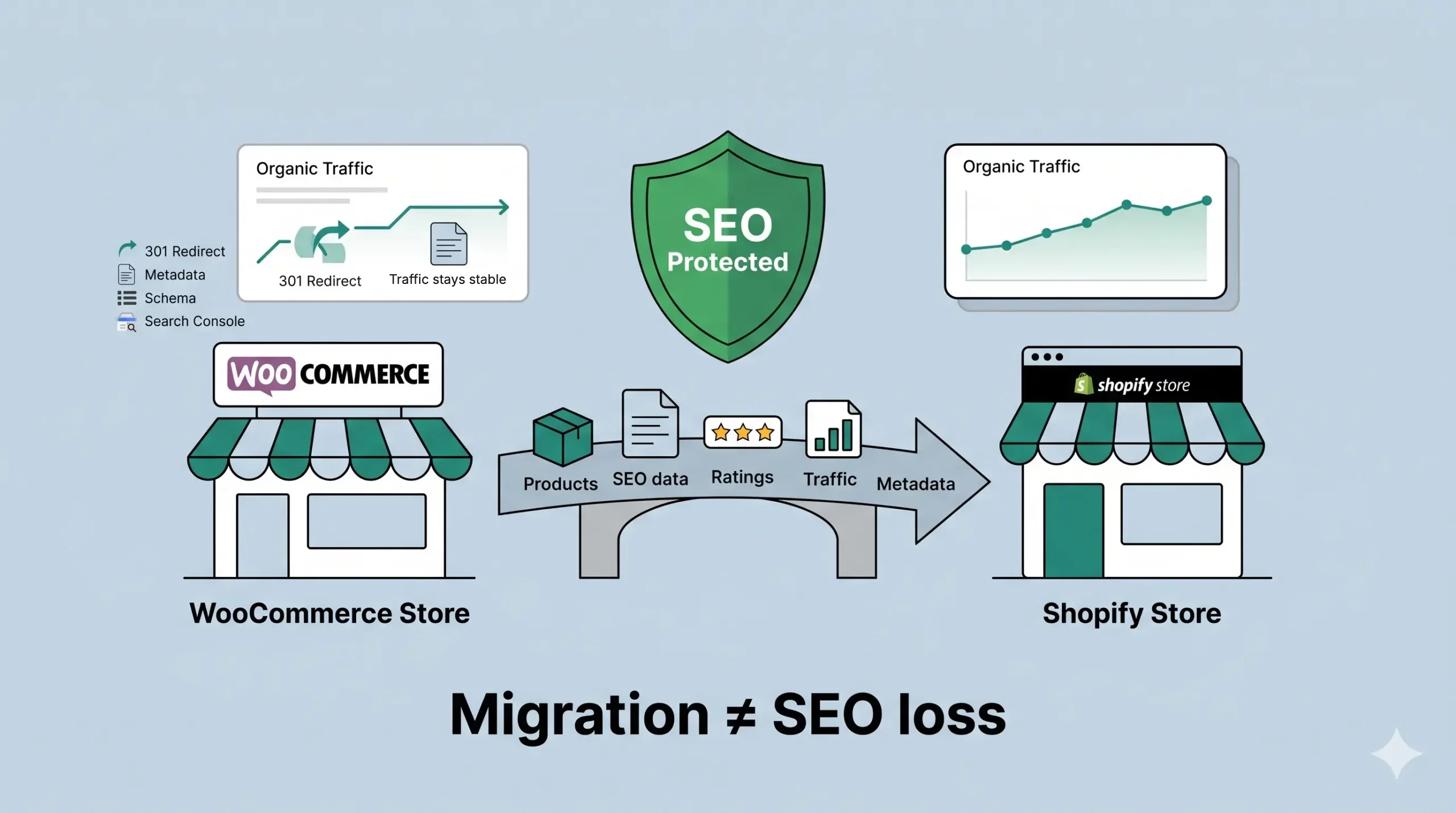
Migrating from WooCommerce to Shopify doesn’t have to mean sacrificing years of SEO growth. With the right migration strategy, you can preserve your rankings, maintain organic traffic, and improve your store’s long-term performance without the “migration hangover” many brands fear.
If you’ve already read our guide on why more scaling D2C brands are choosing Shopify, the next logical question is: what happens to SEO?
It’s a valid concern. If 40% of your revenue comes from Google, migrating your store can feel less like a technology upgrade and more like a high-stakes gamble. We’ve seen brands delay their migration for months after being warned that rankings would inevitably collapse.
The reality is different. A migration hangover is real-but it’s almost always the result of poor planning, not the platform itself. This guide walks through the technical process we use to move WooCommerce stores to Shopify while protecting the SEO equity they’ve spent years building.
This is Part 2 of our WooCommerce series - Part 1 covers planning, data migration, and costs. And if you want specialists to run the whole move, see our WooCommerce to Shopify migration service.
The "Migration Hangover"
Imagine this: You’ve just launched your beautiful new Shopify store. The UX is sleek, the checkout is fast, and the team is celebrating. But two weeks later, you check Google Search Console, and the graph looks like a ski slope. Organic traffic is down 40%, and your best-selling product page has disappeared from the first page of results.
This is the “Migration Hangover.” It usually happens because, in the rush to go live, the technical connective tissue-URLs, metadata, and redirects-was treated as an afterthought. At URich, we treat migration like moving a fragile antique: it requires a system, not just a “copy-paste” approach.
Why Common Migration Advice Fails
If you look for a “quick fix,” you’ll likely find automated migration tools that promise to handle everything in one click.
The reality in 2026 is different:
The URL Logic Gap:
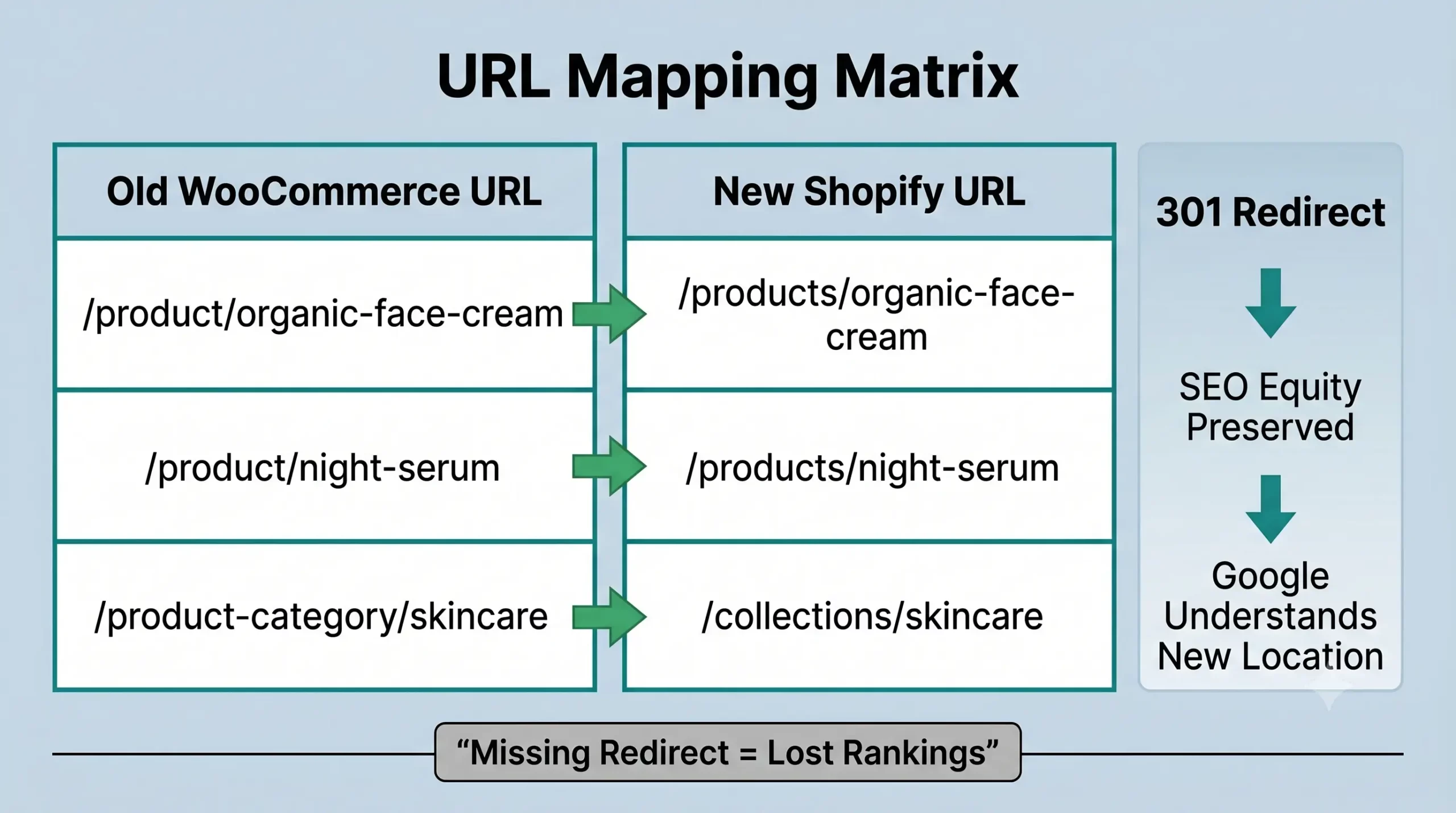
WooCommerce typically uses /product/ for items and /product-category/ for groups. Shopify uses a hard-coded structure: /products/ and /collections/. An automated tool might move your content, but it won’t automatically tell Google that your old URL has a new home.
The Metadata Loss:
Plugins like Yoast or RankMath store SEO data in custom WordPress database fields. Basic importers often ignore these, leaving your new Shopify pages with generic, auto-generated titles that destroy your Click-Through Rate (CTR).
THE INTERNAL LINKING GAP:
Even if redirects are configured correctly, your navigation, blog posts, and product recommendations may still point to old WooCommerce URLs. This creates unnecessary redirect chains and wastes crawl budget.
THE SCHEMA MISMATCH:
WooCommerce stores often rely on SEO plugins for Product, FAQ, and Review Schema. During migration, this structured data can disappear or change format, reducing rich results in search.
THE IMAGE SEO LOSS:
Many migration tools move images but fail to preserve Alt text, filenames, or image associations. For brands that rely on Google Images, this can reduce organic visibility.
THE APP ASSUMPTION:
Many merchants assume installing an SEO app on Shopify restores everything automatically. In reality, apps optimize future SEO but cannot recover metadata, redirects, or structured data that was never migrated.
Your Safety Net
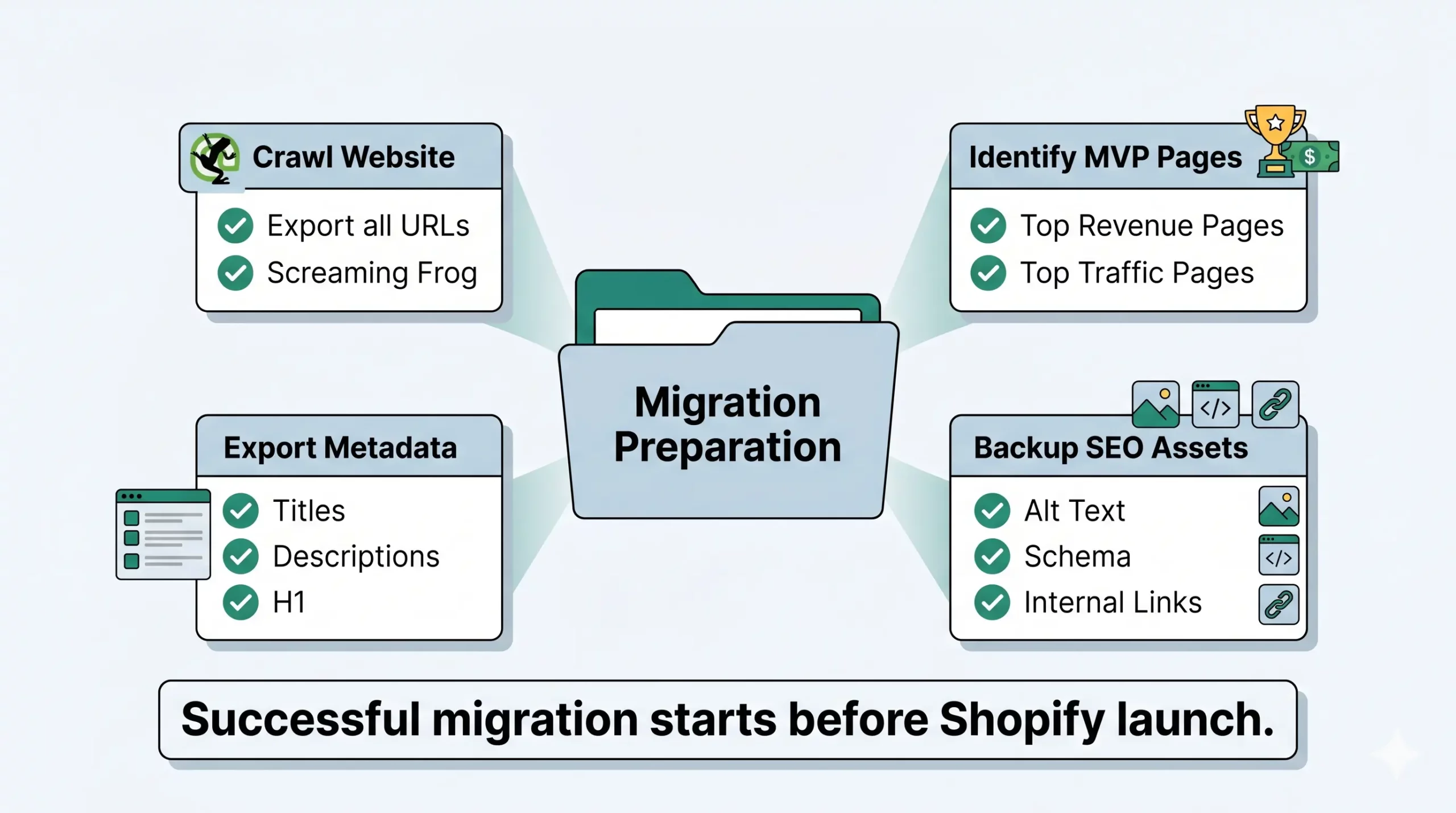
Before a single pixel is moved, you must map your current territory.
The Full Crawl
Use a tool like Screaming Frog to export every single live URL on your WooCommerce site. This is your “Master List.”
Identify the "MVPs" (Most Valuable Pages)
Not all pages are equal. Identify the 20% of URLs that drive 80% of your organic revenue. These are the ones we will manually audit after the switch.
Export Metadata
Pull your Meta Titles, Descriptions, and H1 tags into a CSV. You will need this to ensure your “storefront” looks identical to Google’s crawlers after the move.
BACK UP SEO ASSETS
Before making any changes, create a complete backup of your SEO assets-including XML sitemaps, robots.txt, canonical tags, image Alt text, structured data, and existing redirect rules.
The 301 Redirect Strategy
This is the most critical step. A 301 redirect tells Google:
“We’ve moved permanently. Please transfer all the ‘SEO juice’ from the old link to this new one.”
The Mapping Matrix
You need a spreadsheet where Column A contains every WooCommerce URL and Column B contains the corresponding Shopify URL. Every important page should have a one-to-one destination-avoid redirect chains and never send multiple pages to the homepage.
WooCommerce
yourbrand.com/product/organic-face-cream/
Shopify
yourbrand.com/products/organic-face-cream
URich Pro Tip: Don’t forget your blog posts and category pages. Many brands focus only on products and forget that their “Top 10 Skincare Tips” blog post is a massive traffic driver. Use apps like Matrixify or Transportr to bulk-upload these redirects before you hit the “Launch” button.
Handling Metadata & Schema in 2026
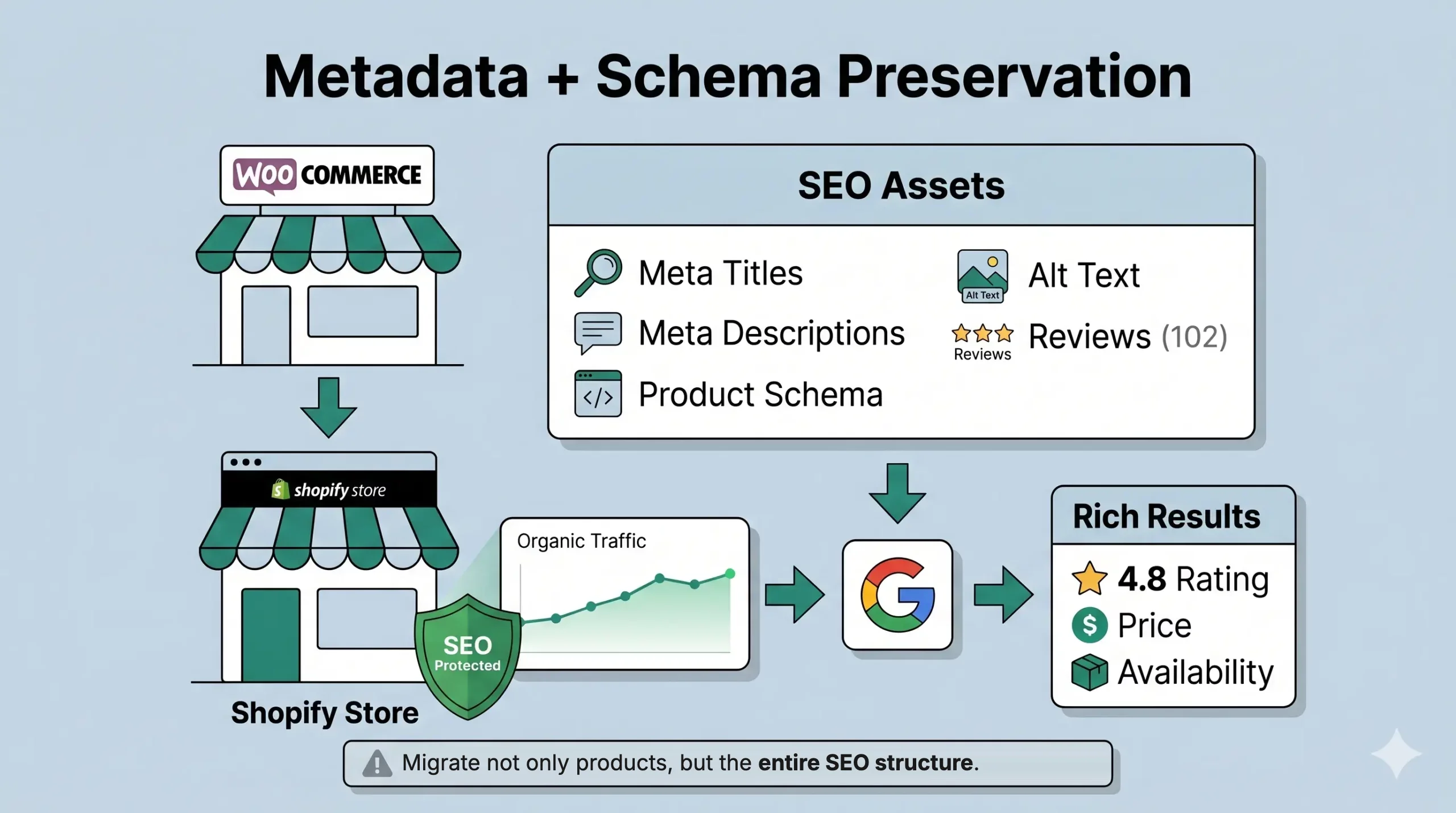
In 2026, Google’s AI crawlers look for Entity Integrity. If your WooCommerce site had rich “Product Schema” (displaying star ratings and prices in search results), you must ensure Shopify carries that torch.
Alt-Text Restoration
Automated importers are notorious for “dropping” image Alt-texts. For D2C niches like Fashion or Home, where image search is huge, this is a silent killer. We recommend a manual spot-check of your top 50 images.
Schema Consistency
Shopify’s native Schema is good, but if you used custom fields in WordPress for “Materials” or “Sustainability Metrics,” you’ll need to use Shopify Metafields to ensure that data remains structured and readable for search engines.
The 48-Hour Health Check
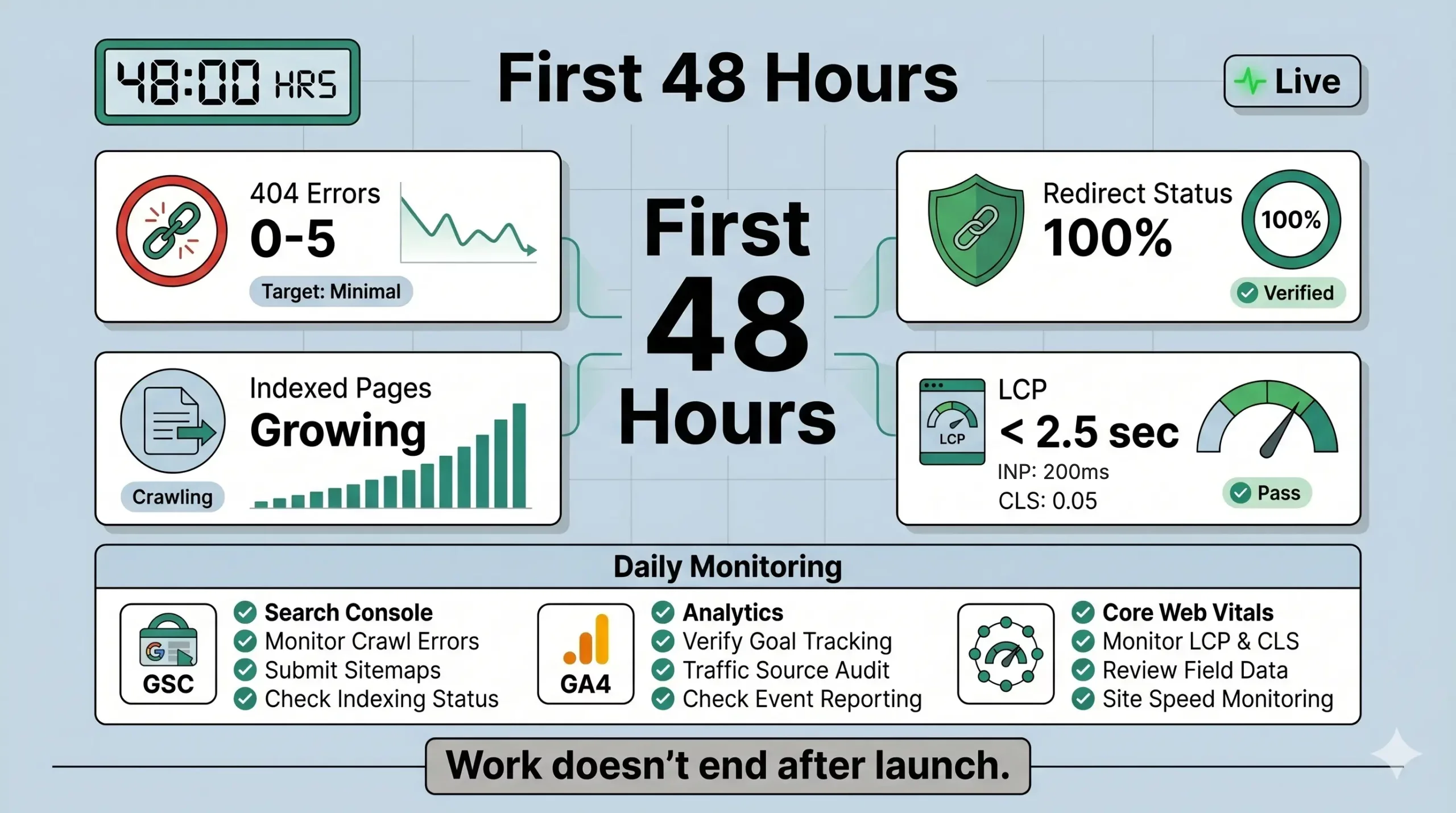
The first two days after launch are for firefighting, not celebrating.
Monitor Google Search Console
Watch for an influx of 404 errors. If a URL was missed in your redirect map, this is where it will show up.
Core Web Vitals
A new Shopify theme can be fast, but heavy third-party apps can bog it down. Ensure your Largest Contentful Paint (LCP) is under 2.5 seconds.
Update Internal Links
If your “About Us” page still links to an old /product/ URL, you’re creating unnecessary redirect chains. Clean them up to keep the site “lean” for crawlers.
Honest Warnings
We won’t tell you there will be zero fluctuations. Even with a perfect migration:
The Re-indexing Period
Google needs time to crawl the new structure. You might see a 5-10% dip in traffic for 14-21 days. This is normal.
The "Double Change" Trap
Never change your product descriptions and your platform at the same time. If your rankings drop, you won’t know if it was the technical migration or the new copy. Change the platform first, stabilize, then optimize the content.
THE APP BLOAT RISK
Installing too many Shopify apps immediately after launch can hurt page speed and Core Web Vitals. Start with only essential apps, measure performance, then add new functionality gradually.
THE CRAWL BUDGET EFFECT
Large stores often see Google spend time rediscovering thousands of new URLs after migration. During this period, some pages may temporarily lose visibility until Google fully processes the new site structure.
THE MISSED REDIRECT PROBLEM
Even one forgotten high-value URL can lead to lost rankings and broken backlinks. After launch, regularly monitor 404 errors in Google Search Console and update your redirect map.
THE THIRD-PARTY INTEGRATION CHECK
Analytics, Google Merchant Center, review platforms, and tracking scripts often need to be reconfigured after migration. Missing integrations won’t directly hurt rankings but can impact reporting, product visibility, and marketing performance.
Clarity Over Chaos
Migration doesn’t have to be a “SEO catastrophe.” It is a mathematical process of mapping Data A to Platform B.
By following this checklist, you aren’t just moving your store; you are protecting the organic capital you’ve spent years building. Now that your SEO is secure, you can finally stop worrying about maintenance and start leveraging the scaling power of Shopify we discussed in Part 1.
FAQ
Not if the migration is planned correctly. Proper 301 redirects, metadata migration, and technical SEO checks help preserve rankings and organic traffic.
Most stores see Google re-index the new site within 2–6 weeks. Minor ranking fluctuations during this period are normal.
Missing or incorrect 301 redirects. Without them, search engines and users may encounter broken pages, resulting in lost rankings.
Monitor Google Search Console for crawl errors, verify redirects, submit your new XML sitemap, and track rankings and Core Web Vitals during the first few weeks.