

OPENCART TO SHOPIFY MIGRATION WITHOUT LOSING DATA OR SALES
 By Jane Kholmetskaya, CTO — 29 Jan 2026
1. INTRODUCTION
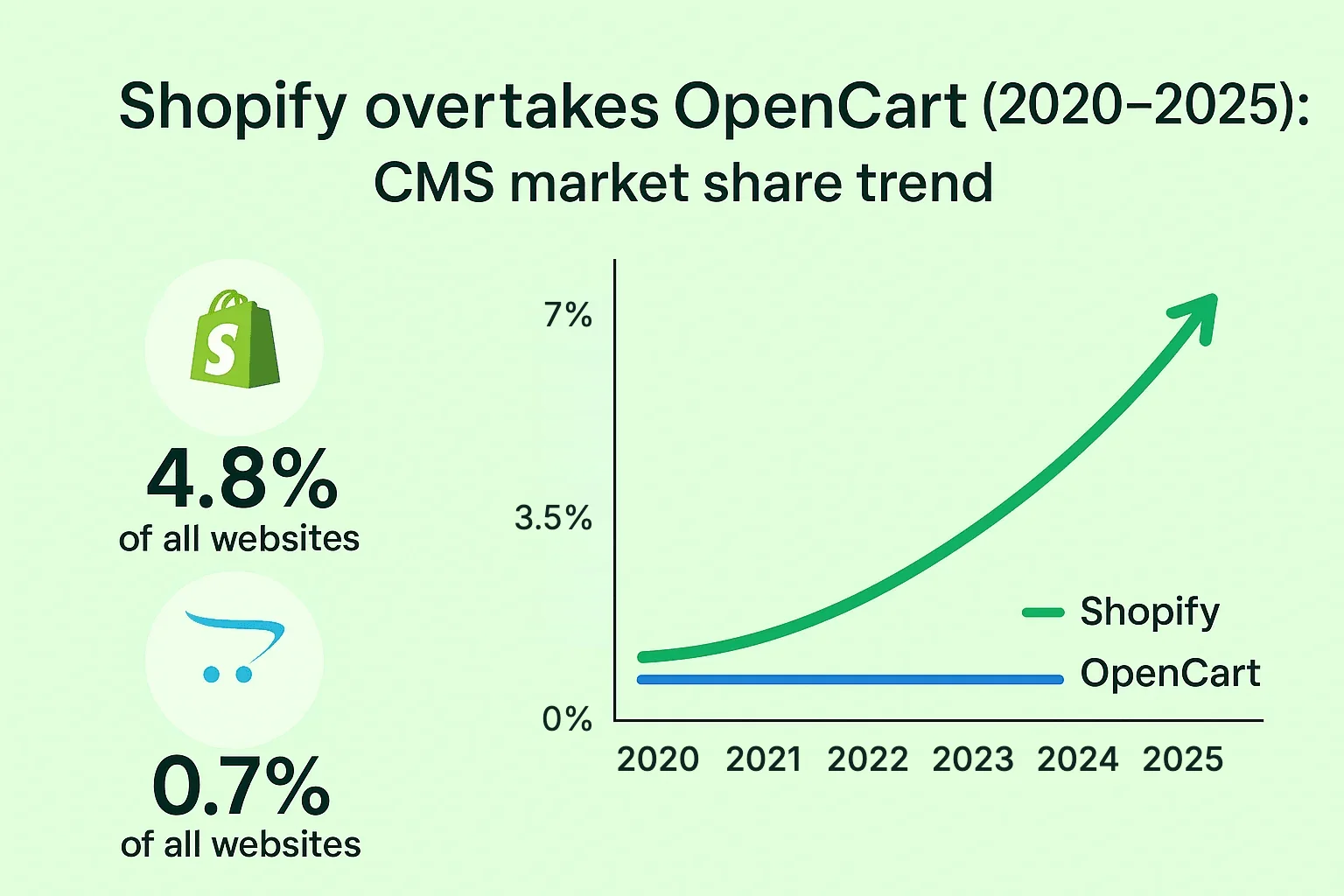
In 2025, Shopify powers 4.8 % of all websites and 6.7 % of sites that use a known CMS – a share that has more than doubled since 2020. By contrast, OpenCart’s footprint has plateaued, leaving many D2C brands searching for a platform with better UX, built-in SEO, and reliable support. If you’re considering the leap, this guide walks you through how to move an OpenCart store to Shopify without sacrificing data, traffic, or sales.
Want it done for you? Our OpenCart to Shopify migration service covers data, SEO, and launch end to end.
2. WHY CONSIDER MIGRATING FROM OPENCART TO SHOPIFY?
2.1 LIMITATIONS OF OPENCART
- Maintenance overhead – frequent manual updates and extension conflicts.
- Plugin quality varies; 13 000+ extensions, but vetting is minimal, leading to breakages.
- Complex checkout flows increase cart abandonment.
- Limited native integrations with modern marketing and CRM tools.
2.2 ADVANTAGES OF SHOPIFY
What you get out of the box:
- Hosting, security patches and a PCI DSS Level 1-compliant checkout on every plan – no servers or updates to manage.
- A fast, conversion-tested checkout with Shop Pay, Apple Pay and Google Pay.
- 8 000+ apps in the Shopify App Store, reviewed by Shopify before they are listed.
- Built-in SEO basics: auto-generated sitemap.xml, canonical tags, editable meta titles and native 301 redirects.
- 24/7 merchant support and a global CDN that keeps storefronts fast worldwide.
Business scenarios where Shopify wins:
- High-growth D2C brands needing rapid feature rollout (e.g., beauty subscription boxes).
- Stores eyeing omnichannel retail – Shopify POS unifies online & in-store sales.
- Teams without dedicated DevOps; Shopify’s SaaS model removes server headaches.
3. PRE-MIGRATION CHECKLIST
Tip: Run this audit at least two weeks before the cut-over date to avoid last-minute surprises.
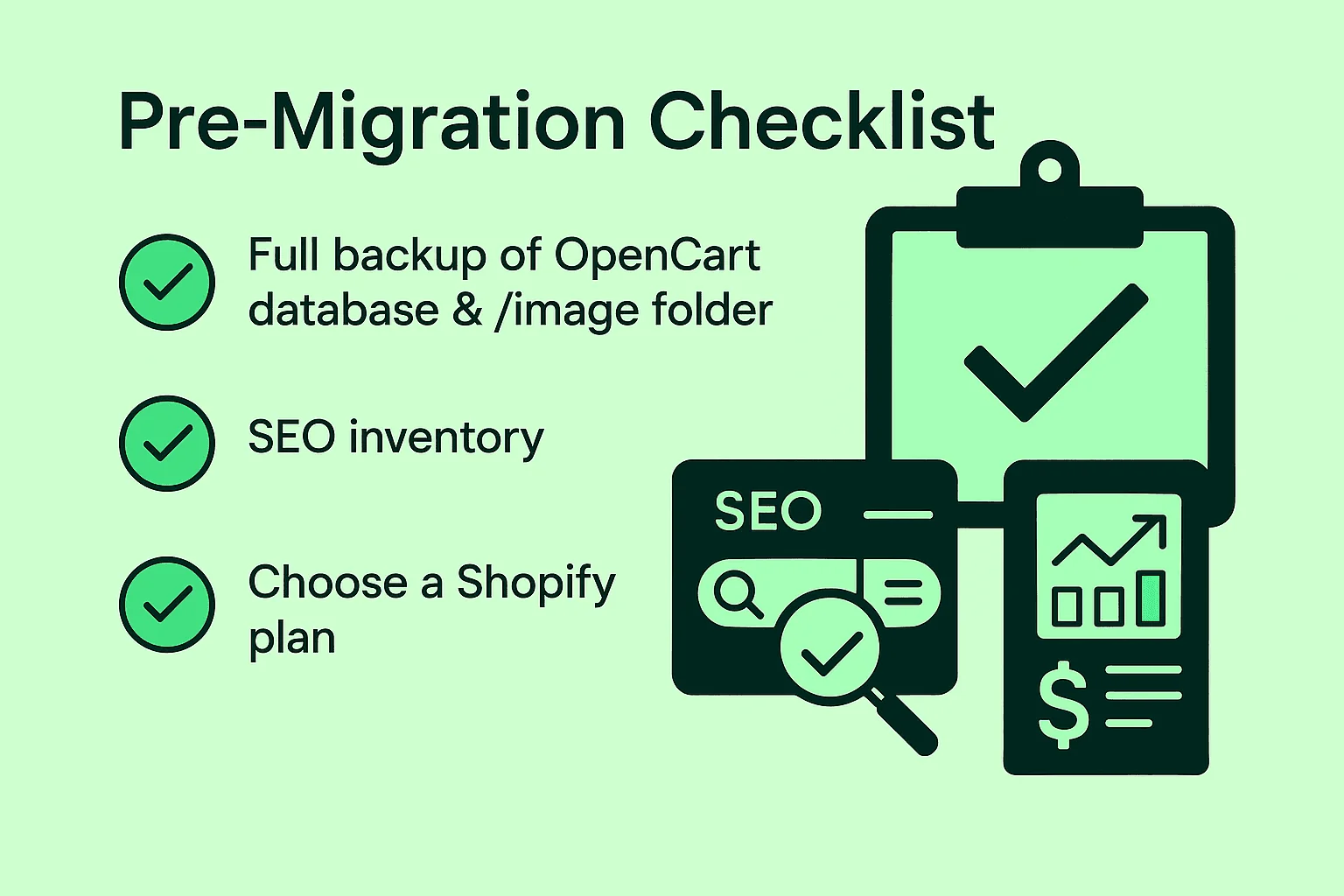
- Full backup of OpenCart database & /image folder.
- Store architecture map – categories, product SKU patterns, customer groups.
- SEO inventoryExport current URLs, meta titles, descriptions, hreflang.Identify top-traffic pages via GA4/Search Console.
- Choose a Shopify plan – Basic, Grow, Advanced, or Plus. Factor in expected order volume and staff seats.
- Prepare third-party integrations (ERP, email marketing) and collect API keys.
4. STEP-BY-STEP MIGRATION PROCESS
4.1 CREATE YOUR SHOPIFY ACCOUNT
Start on a trial or development store and keep it password-protected until launch. Before importing anything, configure the basics the import depends on:
- Store currency, languages and markets.
- Tax settings and shipping zones/rates.
- Payment providers (Shopify Payments, PayPal, local gateways).
- Staff accounts with only the permissions each person needs.
4.2 EXPORT DATA FROM OPENCART
Use System → Backup/Restore or an extension to export:
- Products & categories
- Customers & passwords (as salted hashes)
- Orders & transaction history
- Coupons, reviews, blog posts
Keep a frozen copy of every export. After this point, note new orders and customers in OpenCart – they will go over in a final delta migration right before the cut-over.
4.3 IMPORT INTO SHOPIFY
Option A – Automated tools
- Cart2Cart: wizard-based transfer in four steps; keeps relations between orders & customers.
- LitExtension: supports unlimited re-migration for free within 3 months.
- Matrixify: bulk CSV/XLSX import, best for complex metafield data.
Option B – Manual CSV/API For small catalogs (<1 000 SKUs) you can map fields in Shopify’s Product CSV template.
4.4 REBUILD URL STRUCTURE
- Replicate category slugs where possible (e.g., /mens/sneakers → /collections/mens-sneakers).
- Create 301 redirects in Online Store → Navigation → URL Redirects.
- Shopify uses fixed URL prefixes – /products/, /collections/, /pages/, /blogs/ – so most OpenCart URLs, including index.php?route=product/product&product_id=… links, will change.
- Build a complete old → new redirect map from a crawl of the live store, then bulk-import it as a CSV instead of adding redirects one by one.
- Update internal links in product descriptions, menus and blog posts so they point straight to the new URLs, not through a redirect.
4.5 DESIGN & THEME SETUP
- Pick a Shopify theme optimised for fashion, beauty, furniture, or accessories.
- Customise fonts & colours to match brand guidelines.
- Start from an Online Store 2.0 theme, so sections and blocks can be edited without code.
- Rebuild the key templates first – home, collection, product and cart – and test them on mobile, where most D2C traffic lands.
- Recreate static pages (About, Shipping, Returns, Privacy Policy) and link them in the footer.
4.6 FUNCTIONAL TESTING
- Place test orders with multiple payment gateways.
- Verify tax & shipping rates.
- Double-check inventory syncing with ERP or WMS.
Example: A furniture D2C brand observed a 0.5 s faster TTFB after moving to Shopify’s global CDN, reducing bounce rate by 7 %.
5. TOOLS AND SERVICES FOR MIGRATION
Most OpenCart → Shopify migrations use one of four tools. Pick by catalog size and by whether you need order history:
| Tool | Type | What it migrates | Best for |
|---|---|---|---|
| Cart2Cart | Automated migration service (web wizard) | Products, categories, customers, orders, reviews, coupons; keeps order–customer links | Mid-size stores that need full order history moved quickly |
| LitExtension | Managed automated migration | Products, customers, orders, blog posts; free re-migration within 3 months | Stores that keep selling during the move and need a delta re-sync before go-live |
| Matrixify | Shopify app for bulk CSV/XLSX import | Products with variants and metafields, customers, 301 redirects, blog posts | Large or complex catalogs, metafield data and bulk redirect lists |
| Shopify CSV import | Native Shopify feature, free | Products and customers via Shopify’s CSV templates | Small catalogs (<1 000 SKUs) without order history |
Tip: whichever tool you choose, run a test migration on a development store first and compare product, customer and order counts before the final cut-over.
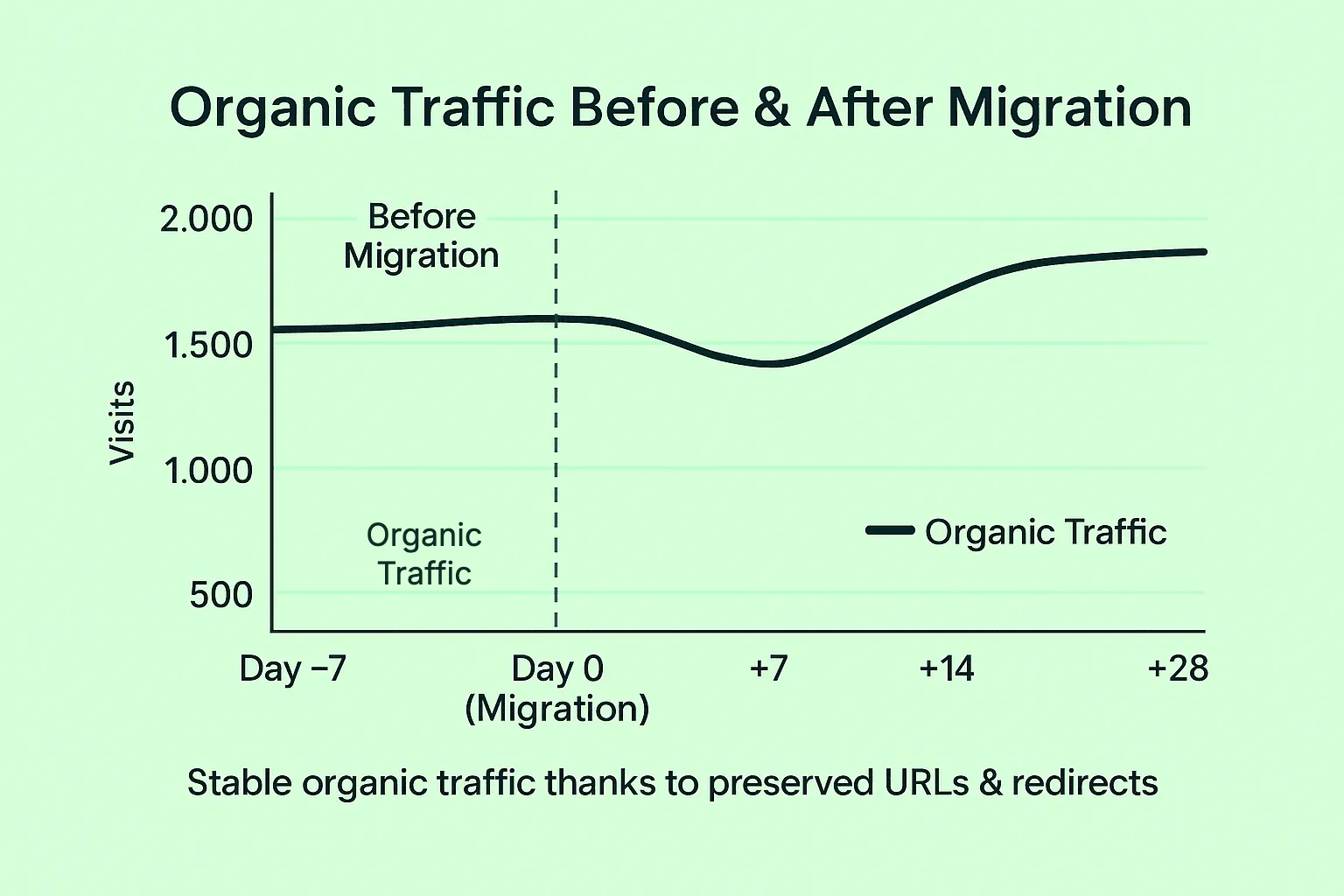
6. PRESERVING SEO DURING MIGRATION
- Keep high-value URLs intact; if impossible, apply 301s.
- Migrate meta tags via Matrixify or Cart2Cart field mapping.
- Maintain canonical tags – Shopify adds them automatically, but verify for collection/product duplicates.
- Regenerate sitemap.xml in Shopify and re-submit to Google Search Console.
- Track rankings & traffic daily for four weeks post-launch.
7. POST-MIGRATION TASKS
- End-to-end checkout test including discounts & gift cards.
- Enable GA4 + Shopify Reports for cohesive analytics.
- Email customers about the new experience; incentivise revisit with a 10 % coupon.
- Monitor 404 logs; patch any missed redirects.
- Run a speed audit (Lighthouse, GTmetrix) and optimise oversized images.
8. COMMON CHALLENGES AND HOW TO AVOID THEM
Most migration problems are predictable. These are the ones we see most often on OpenCart projects:
- Product options don’t map 1:1. OpenCart allows any number of options, including text and file uploads; Shopify supports up to three option types per product. Map options to variants before import and move custom inputs to metafields or a product-options app.
- Customer passwords can’t be imported natively. Shopify does not accept OpenCart password hashes. Use your migration tool’s password add-on, or send customers account invitations right after launch.
- Every URL changes. Because of Shopify’s fixed URL prefixes, a missing redirect map is the main cause of post-launch traffic drops. Crawl the old store and redirect every indexed URL.
- Extensions have no direct equivalent. Audit each OpenCart extension: replace it with a Shopify app, a built-in feature or a small custom app – and drop the ones nobody uses.
- Orders placed during the migration. Announce a short content freeze, run a delta migration of new orders and customers, then switch DNS at your lowest-traffic hour.
- Lost tracking and integrations. Reconnect GA4, ad pixels, email marketing and ERP before launch and confirm that test orders reach every system.
9. CONCLUSION
Migrating from OpenCart to Shopify lets D2C merchants tap into a mature ecosystem, stronger SEO tooling, and 24/7 platform stability. By following the checklist and using professional Shopify migration services, you can transfer products, orders, and SEO equity with minimal disruption.
Ready for a seamless replatforming? URICH has executed 50+ Shopify migrations since 2023 – cutting project timelines by 40 % versus DIY. Book a free discovery call to scope your path to Shopify growth.
Running on WooCommerce instead? Our WooCommerce to Shopify migration guide covers the same process step by step.
FAQ
Small stores (<500 SKUs) can launch in about 7 days; larger catalogs with custom features usually need 3–4 weeks, including testing and SEO checks.
Not if every indexed URL gets a 301 redirect. Google passes ranking signals through permanent redirects, but expect some fluctuation for 2–4 weeks while it re-crawls the store.
Not natively – Shopify cannot import OpenCart password hashes. Cart2Cart and LitExtension offer password-migration add-ons; without one, customers receive an invitation email and set a new password.
Prices vary by region. In the EU, for example, Basic costs €19/month billed yearly (€27 month-to-month) and Grow €56/month billed yearly (€74 month-to-month), as of October 2026. Most scaling D2C brands choose Grow for up to 5 staff accounts and lower fees on third-party payment providers (1% instead of 2%). Check Shopify’s pricing page for your country.
Yes. You connect your existing domain in Shopify’s domain settings and switch DNS on launch day, so customers keep using the same address.
No. OpenCart stays live while the Shopify store is built and tested. Downtime is limited to the DNS switch, which usually takes minutes to a few hours.
PLANNING AN OPENCART TO SHOPIFY MOVE? GET IN TOUCH WITH URICH – WE’LL MAP YOUR DATA, PROTECT YOUR SEO AND LAUNCH WITHOUT LOSING A SINGLE ORDER.